Click on the website link > https://swciba.sportsclubwebsite.co.uk/
The black box at the top of the screen has Forgotten Password? Register and Login. Click Login. If you are new then click Register.

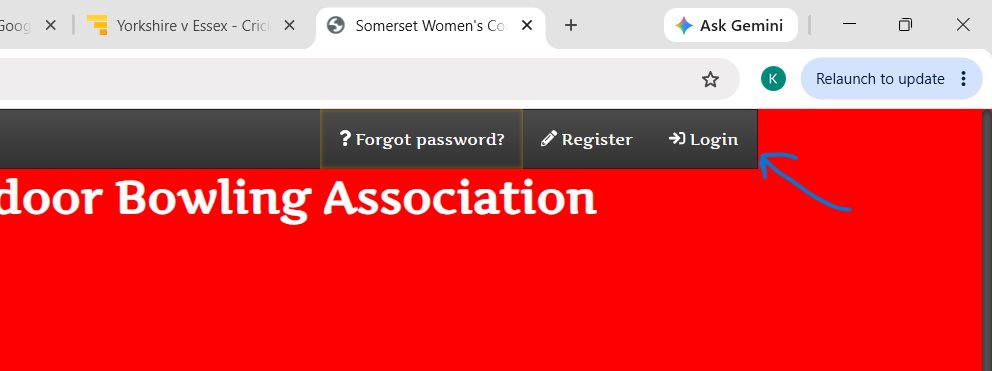
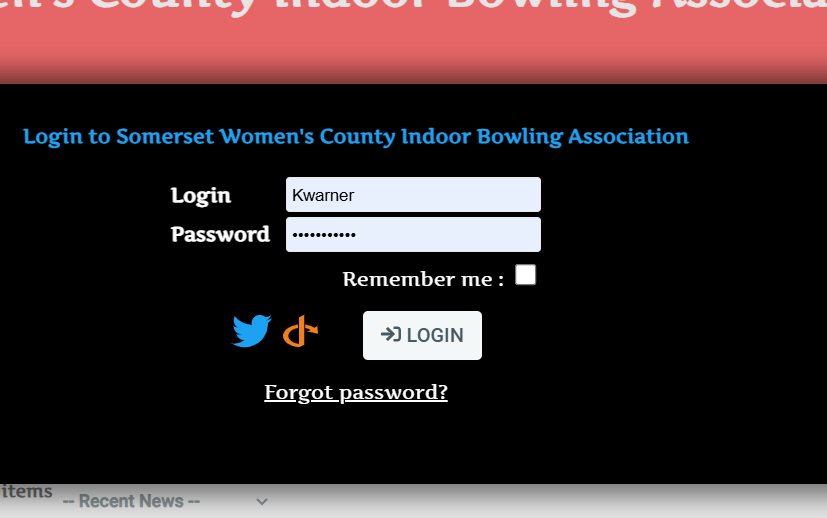
I have my login saved. Your login is your first initial followed by your surname all in lower case. Eg. jbroom for Jean Broom
If you forget your password you can click Forgot password. It needs to be a minimum of 8 characters, with a combination of upper case, lower case, number, and special character (!£&@ etc). Click Login.

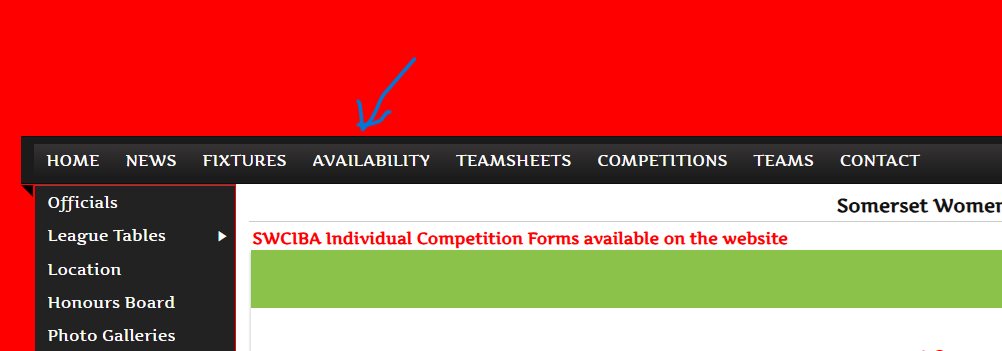
You should now have entered the website. Click Availability

You should see all available fixtures

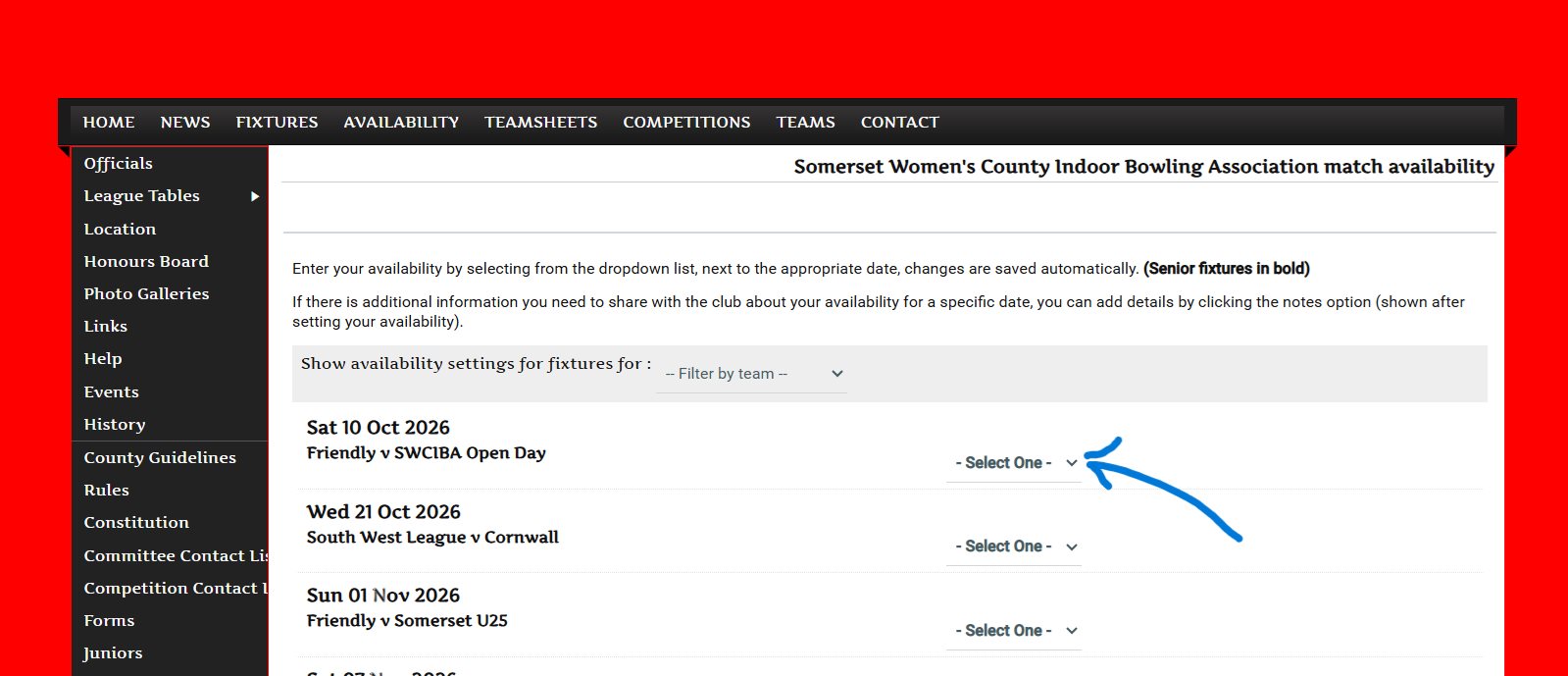
Select your availability for each fixture

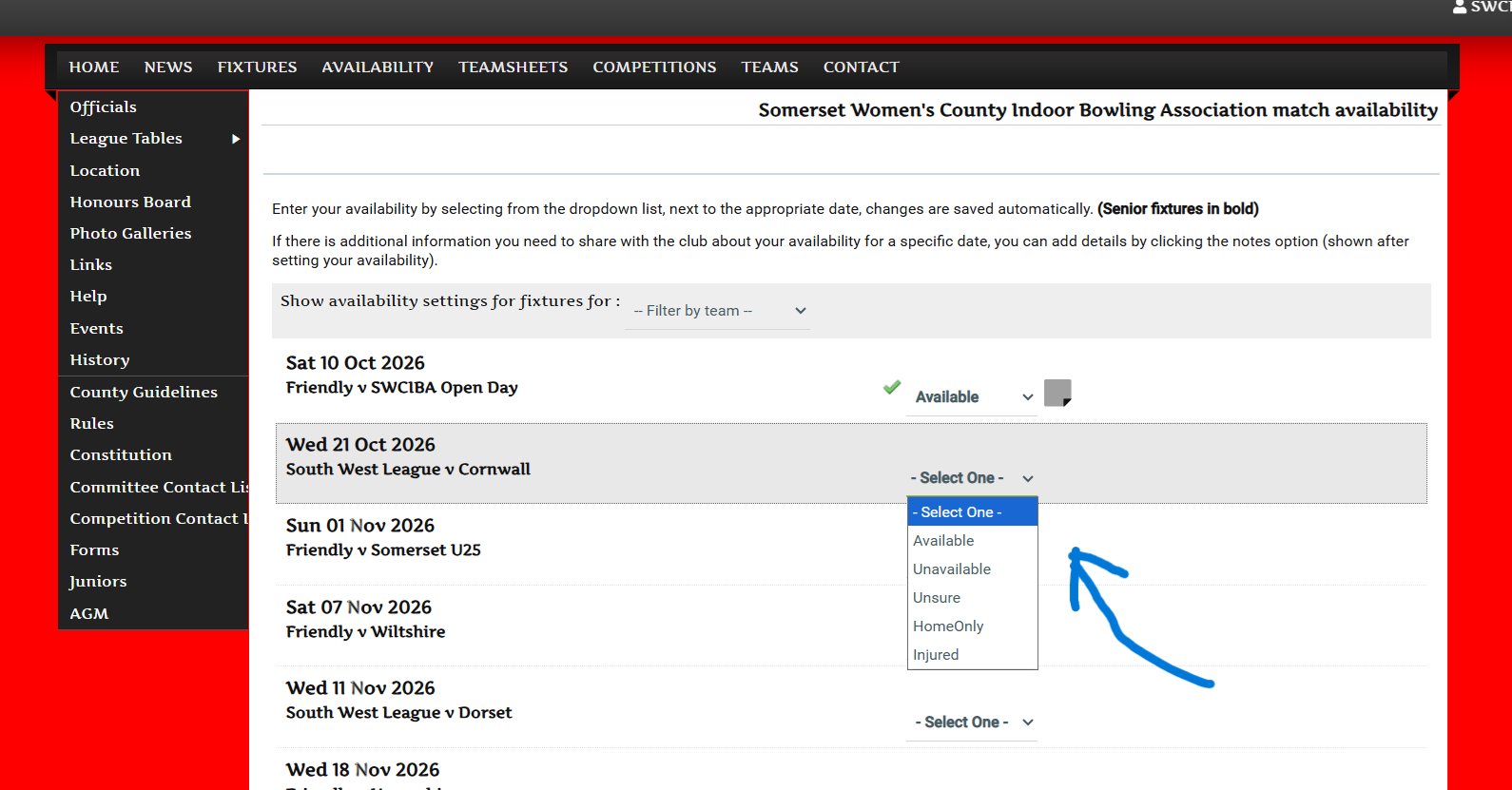
Other useful pages to be found on the left hand side. If you are using a phone, sometimes you have to click on the three horizontal bars to get the list.
Links to club websites > https://swciba.sportsclubwebsite.co.uk/links/default.aspx
Committee Contact List > https://swciba.sportsclubwebsite.co.uk/pages/page_38820/SWCIBA-Committee-Contact-List.aspx
Any issues, please contact Kathy on 07548 254516 or email swcibasecretary@outlook.com.